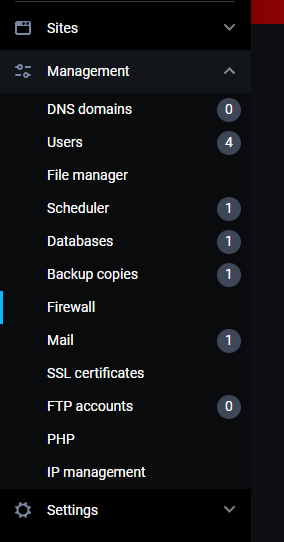
To manage firewall rules in FastPanel, go to Management -> Firewall:
You'll see a page with all of the existing firewall rules, information about them and two buttons:
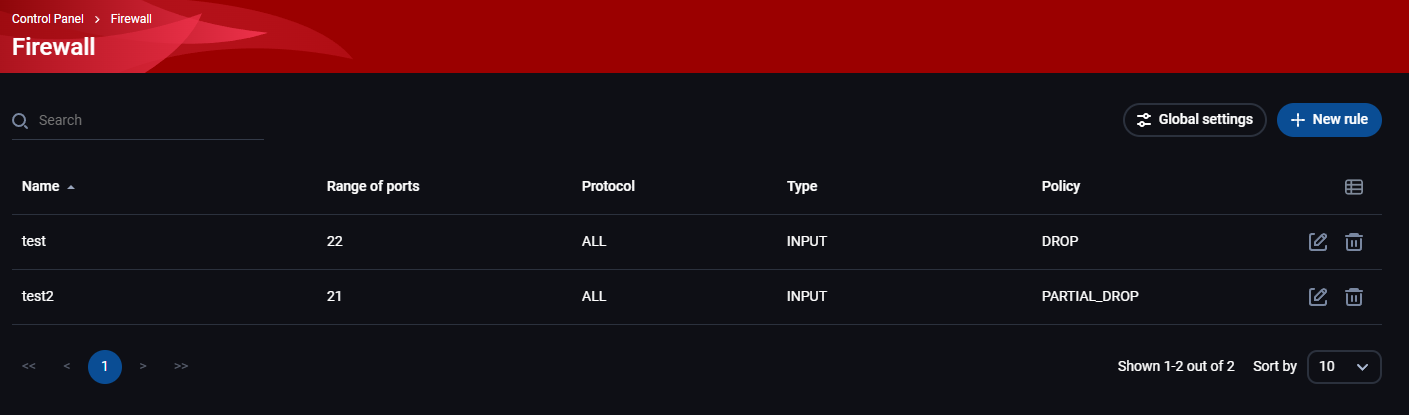
Global settings
The global settings button will open up a pop-up window for you to choose which setting you want to use:
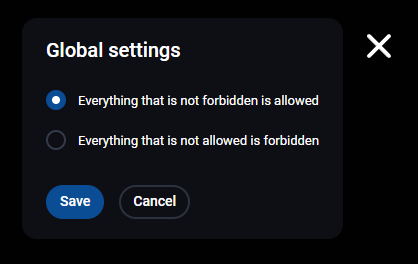
- Everything that is not forbidden is allowed
- Everything that is not allowed is forbidden
It's important that you set this up first, as it will affect how you make rules.
+New rule
This button opens up a page where you can create a new firewall rule:
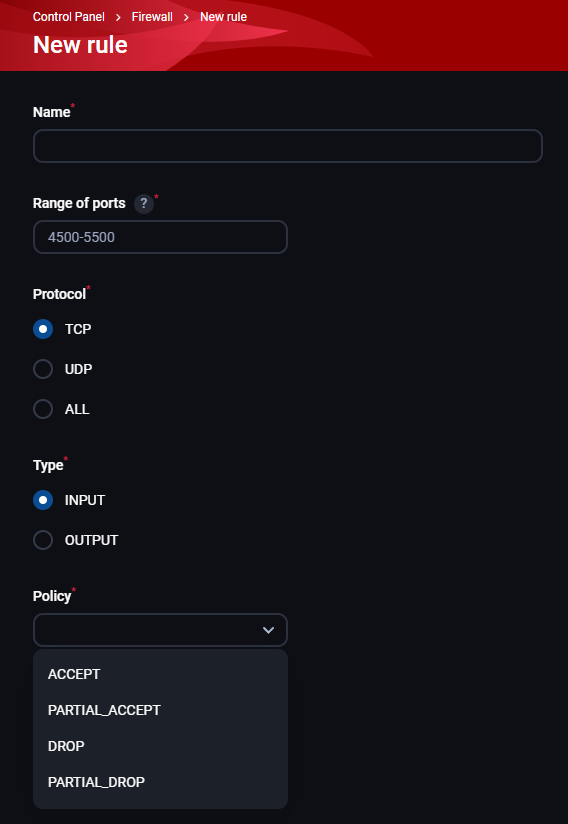
- Name
- Range of ports
- Protocol - TCP, UDP, or ALL
- Type - input or output
- Policy - there are 4 of them:
- ACCEPT
- PARTIAL_ACCEPT - specify IPs for the rule
- DROP - odbij
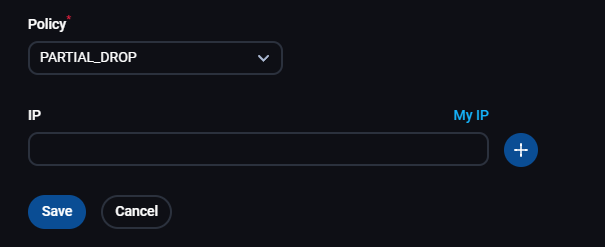
- PARTIAL_DROP - specify IPs for the rule
- IP - shows up only when using partial policy; after entering an IP, click on the + button, and after that add more IPs if you want
Firewall rules list
After adding your firewall rules, you'll see information about them:
- Name
- Range of ports
- Protocol
- Type
- Policy
- Olovka - edit a rule, same options as when creating a new rule, but some of them will not be changeable
- Kanta za smeće - delete a rule