Log in to the FastPanel and in the upper right corner click on the user icon to open up a drop down menu:
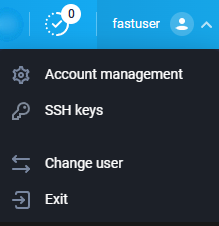
Click on SSH keys:
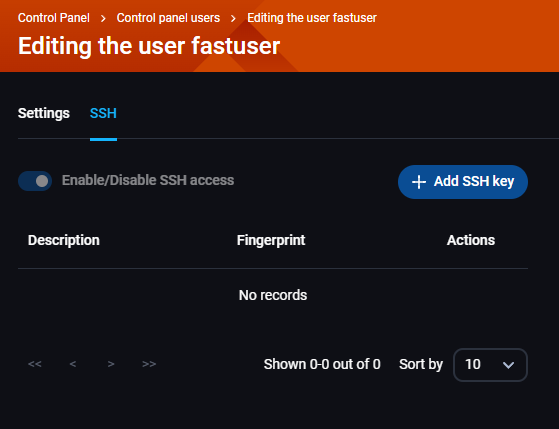
Click on the blue + Add SSH key button:
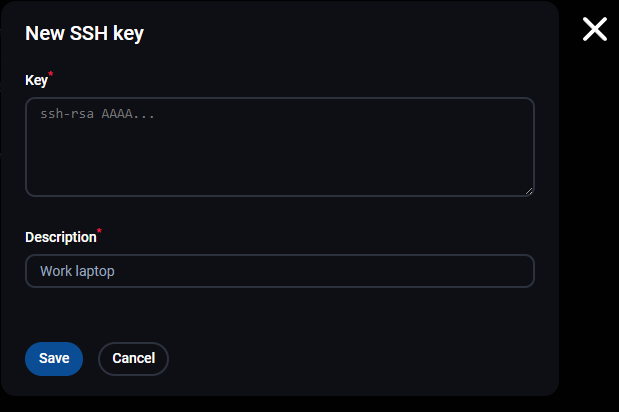
Enter your SSH key to the designated textbox and add the description.
Log in to the FastPanel and in the upper right corner click on the user icon to open up a drop down menu:
Click on SSH keys:
Click on the blue + Add SSH key button:
Enter your SSH key to the designated textbox and add the description.