In order to reinstall your mServer, i.e erase all data and install a fresh copy of the operating system, go to the details page of your server like shown here and click on the button Rebuild.
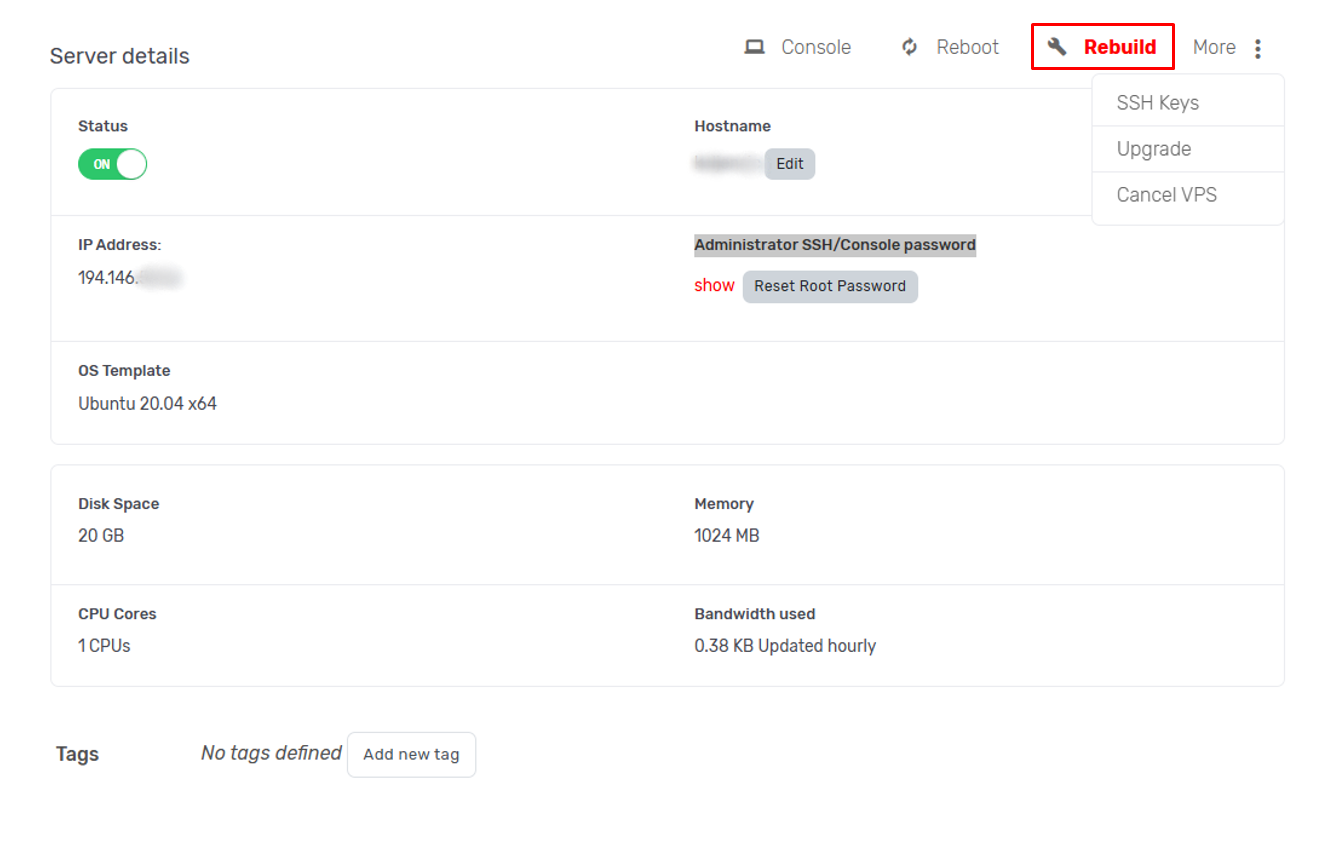
Warning: This action will result in data loss. Do not rebuild your server if you haven't saved your data locally.
After you click on the Rebuild button, you will be shown OS templates to choose from so you can rebuild your server.
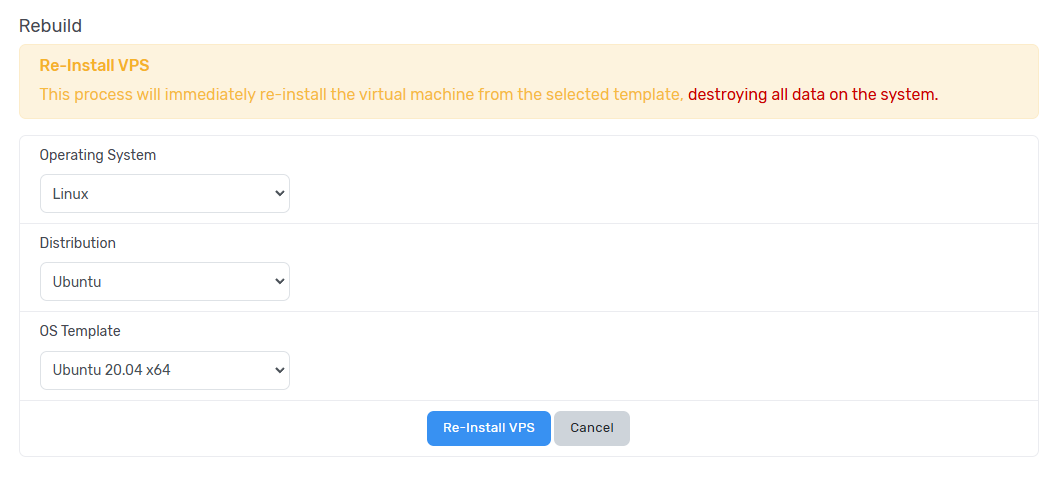
When you select OS template you wish to use you can click on the button Re-install VPS.
While the server is rebuilding, status will be changed to Rebuild.

After the rebuild is done, status will revert back to On.